Draft — being checked against the app
Opening studies in your PACS viewer
Choose the viewer staff open studies in: Clarirad PACS, Voyager, AdvaPACS or another DICOM viewer.
Clarirad does not store or show images itself. It opens each study in your practice's PACS viewer with a link, so the images stay in your PACS. This page sets which viewer that is.
Choosing the practice's viewer
- Open Settings and, under 'Integrations', choose 'PACS'.
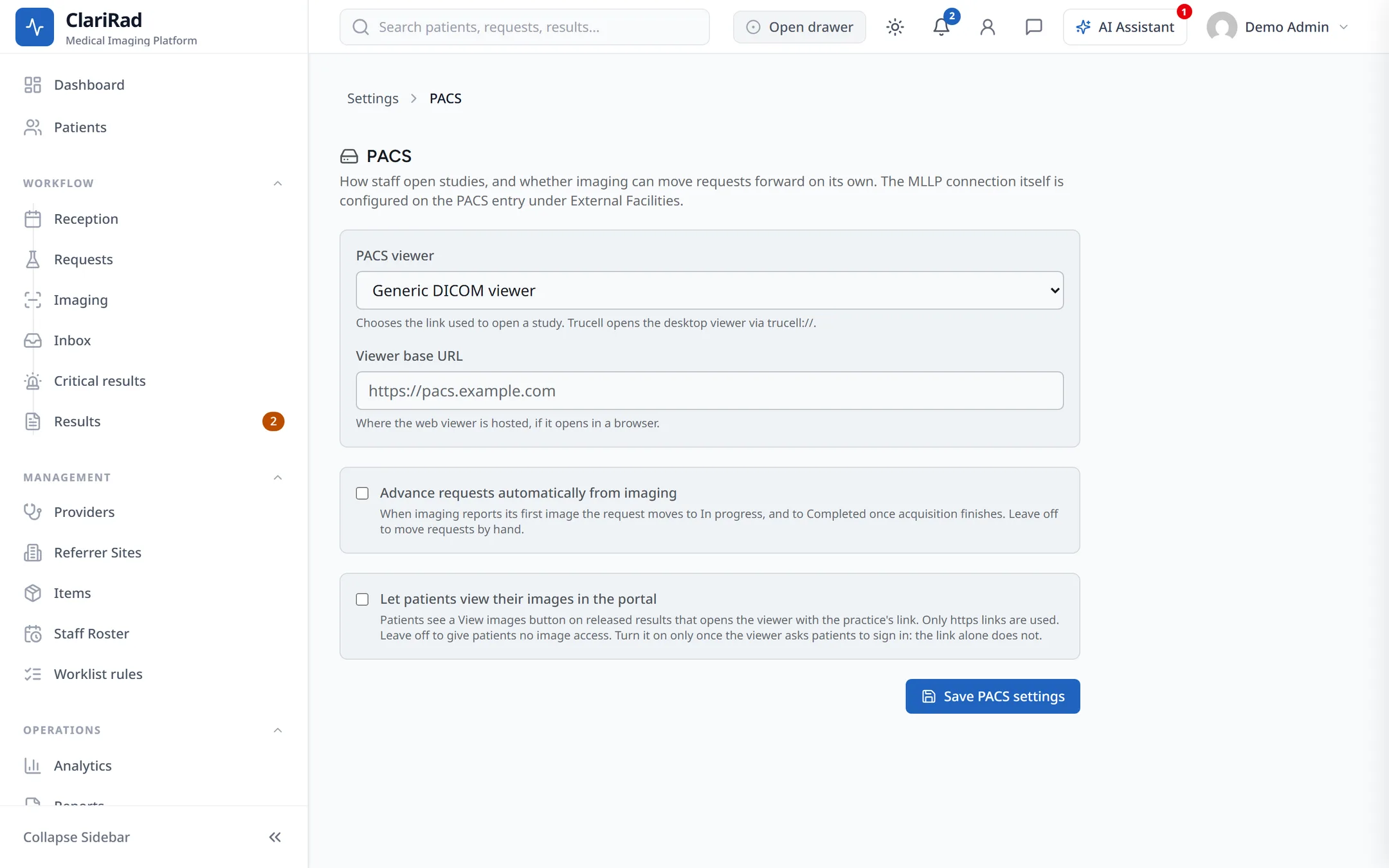
- Choose the 'PACS viewer': 'Clarirad PACS', 'Voyager Desktop (via Clarirad Viewer Companion)', 'AdvaPACS (eUnity / MedDream web viewer)', a vendor viewer (GE, Siemens, Philips, Fujifilm or Canon), or 'Generic DICOM viewer'.
- For a generic viewer, enter the 'Viewer base URL'. For AdvaPACS, fill in 'AdvaPACS connection' (region code, viewer, and the access key your AdvaPACS provider gives you).
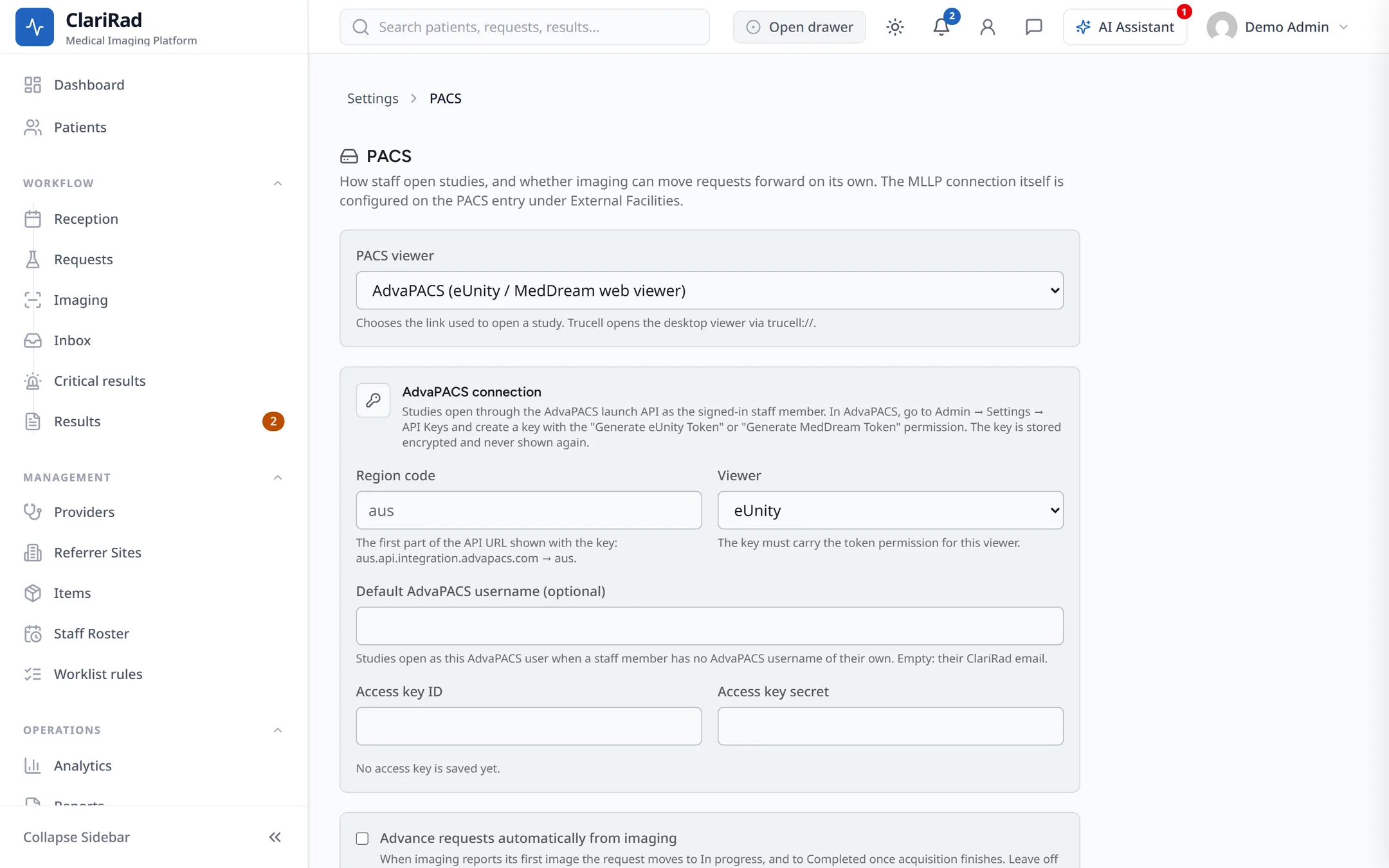
- Choose 'Save PACS settings'.
Access keys are stored securely on the Clarirad server and are never sent to staff browsers. Each time someone opens a study, the server makes a fresh link.
Other settings on this page
- 'Advance requests automatically from imaging': when the first image arrives, the request moves to in progress; when acquisition is complete, it moves to completed.
- 'Let patients view their images in the portal': patients get a link to their images in the patient portal. Only secure (https) viewer links are offered.
A different viewer at one site
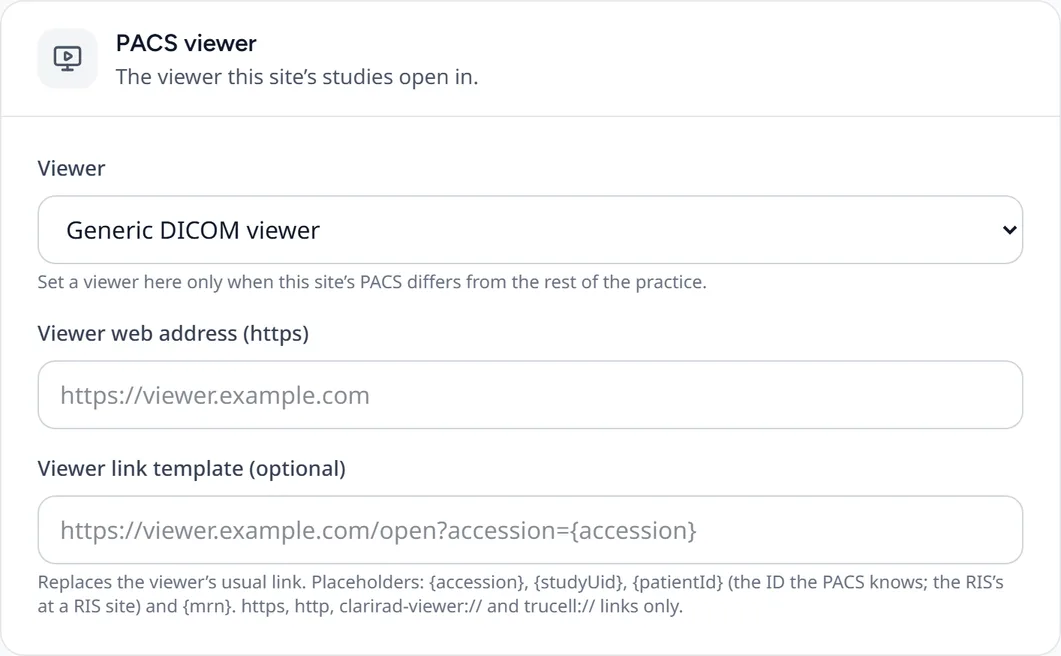
If one site uses a different PACS, open the site's page and find the 'PACS viewer' card. Choose a 'Viewer' other than 'Practice default (Settings → PACS)', and give its web address. A 'Viewer link template (optional)' can build the link from the accession number, study UID, patient ID or MRN, if your PACS needs a particular format.
Opening a study
Staff open a study with 'Open in PACS' on the request, the PACS button on the radiologist worklist, or 'View in PACS' when reporting. Desktop viewers (Clarirad PACS and Voyager) also open the study automatically when a radiologist takes a report. If no study can be found yet, Clarirad says there is no PACS link available.
Voyager Desktop
Voyager Desktop is opened through the Clarirad Viewer Companion, a small Windows program that runs in the system tray on each reporting computer. It does not need administrator rights to install. If a computer does not have it, Clarirad offers 'Install companion' the first time someone opens a study there. Choose 'Don't remind me on this computer' on computers that never open studies.
Related pages
- Modality worklist and HL7 with your PACSGet booked studies onto your scanners' worklist, send orders and signed reports to your PACS, and take reports back from it.
- Checking integration healthSee at a glance whether your HL7 channels, Medilink, accounting and webhooks are working, and which integrations your practice has.