Issuing a key
Name it, grant it scopes, list its addresses and choose an expiry of 90, 120 or 320 days.
A Tenant API key belongs to your organisation, not to a person. It acts under what it was granted, from the addresses on its allowlist, until it expires, is rotated or is revoked. Issue keys under Settings, then API Keys.
What you choose
- A name, so you can tell keys apart in the usage and audit records.
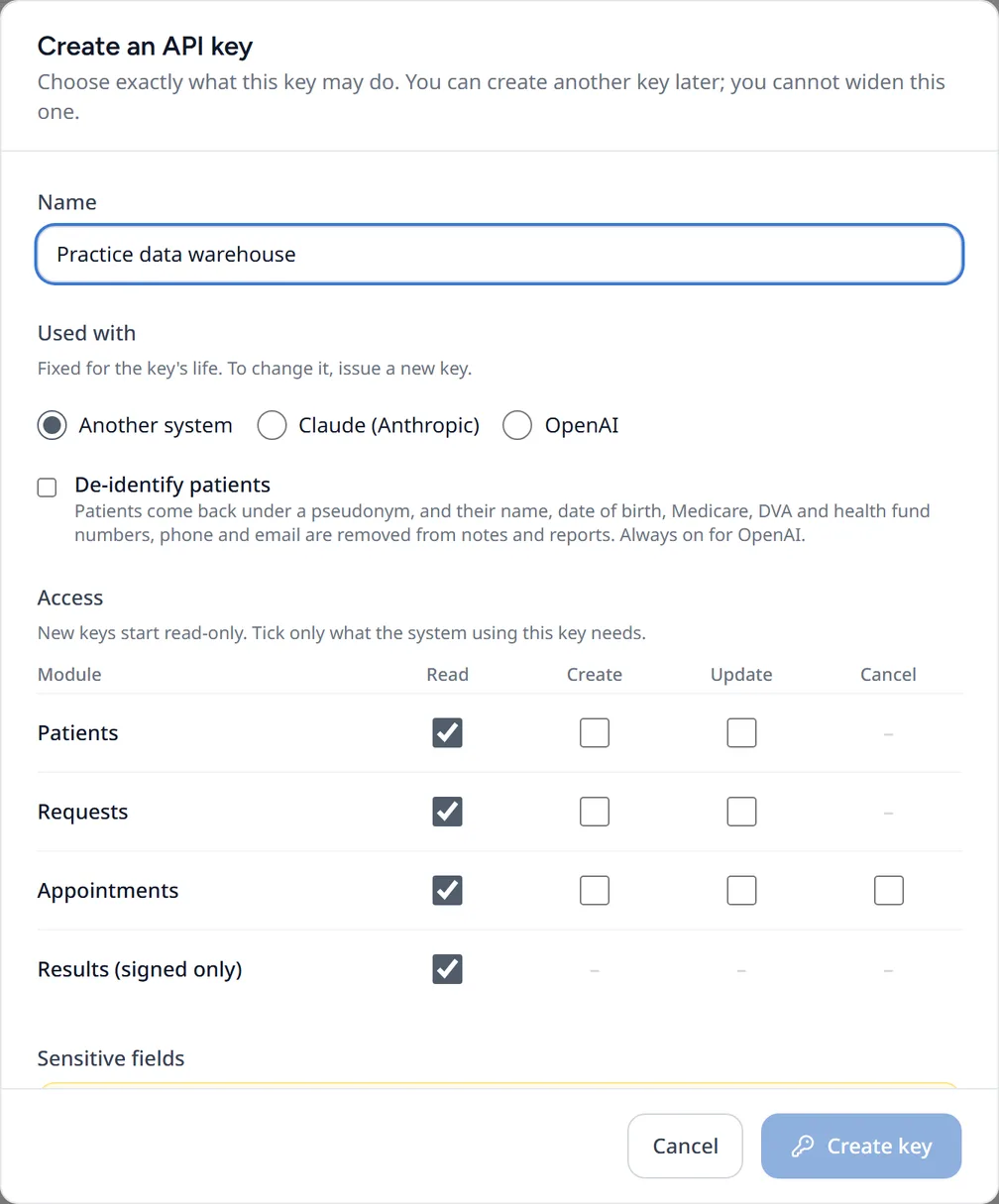
- Scopes: the operations and opt-in fields the key may use.
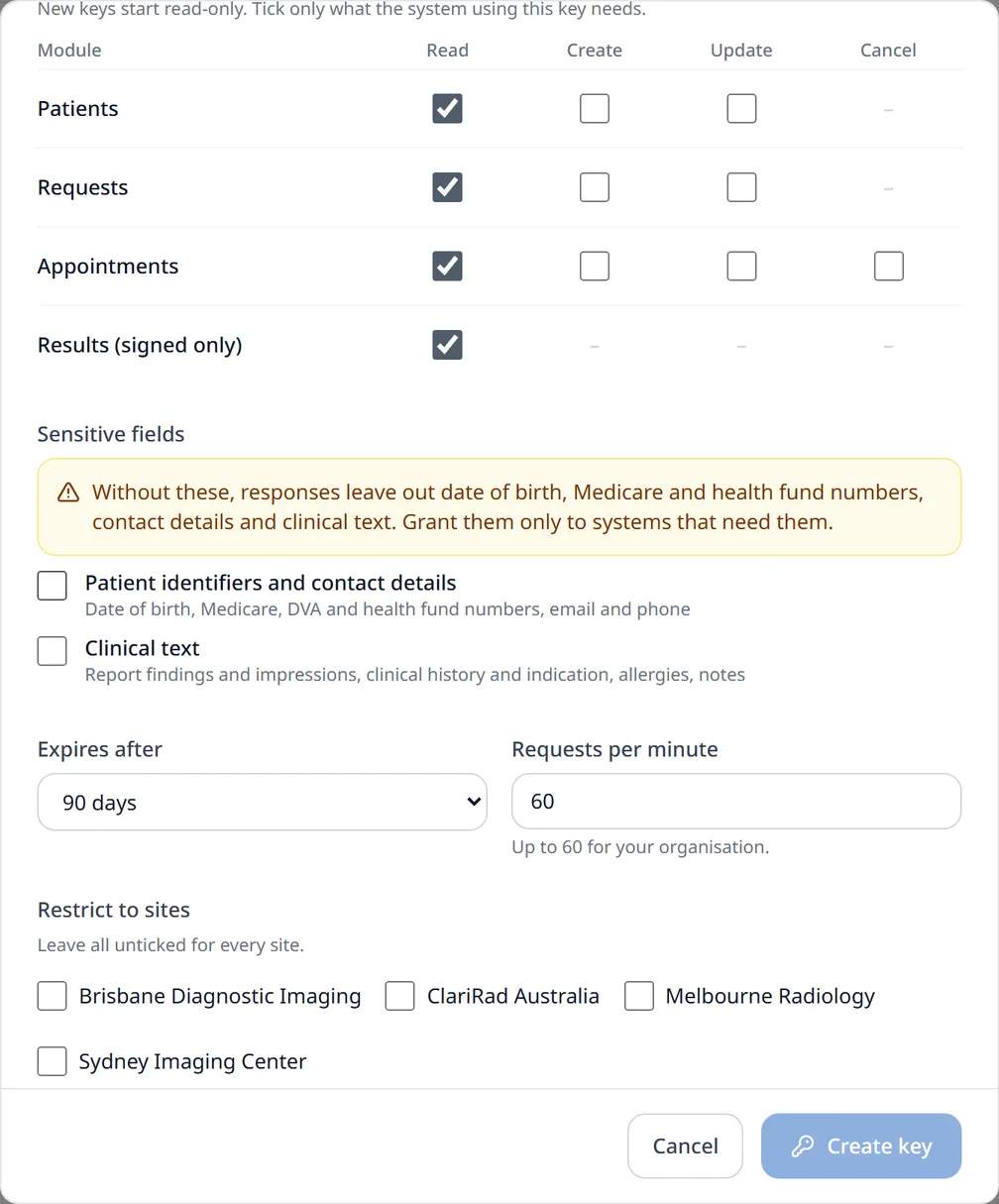
- Sites, if the key should be confined to some of them. Leave this empty for every site.
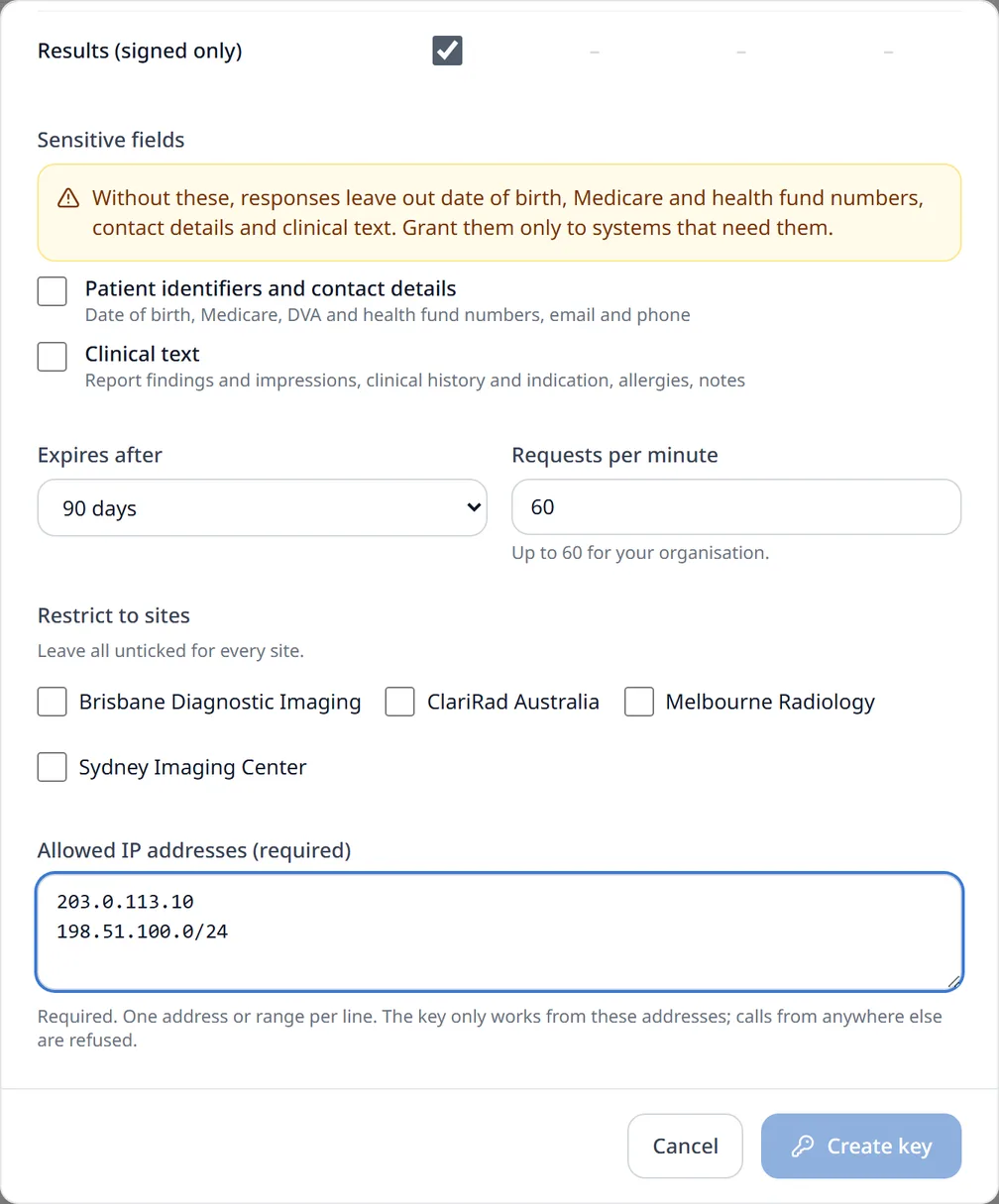
- An IP allowlist. It is required, with at least one address or CIDR range.
- An expiry of 90 days (the default), 120 days or 320 days. No other lifetime is accepted.
- A per-minute rate limit, up to your tenant's ceiling.
You cannot grant more than you could do yourself. If your own role cannot edit appointments, for example, a key you issue cannot hold appointments:update.
The secret is shown once
The secret starts with cr_live_ and appears only in the response to issuing or rotating the key. Store it in your secrets manager straight away. Clarirad keeps a hash and cannot show it again.
Calling the API
Send the secret as a bearer token to your region's host. A key works only in the region that issued it.
# Australia
curl https://api.clarirad.com/api/external/v1/patients \
  -H "Authorization: Bearer cr_live_..."

# Chile
curl https://api-cl.clarirad.com/api/external/v1/patients \
  -H "Authorization: Bearer cr_live_..."
Expiry, rotation and revocation
- An expired key is refused with
401andAPI key has expired. - Rotating gives a new secret with the same grant and the same lifetime. The old secret keeps working for an overlap period, 24 hours by default, so you can change over without downtime.
- A revoked key is refused with
401andAPI key has been revoked.
A key can never manage keys, sign reports, delete records or administer users. Those routes do not exist on this API.
Related pages
- Scopes and gated fieldsWhat each scope allows, which fields stay hidden without an opt-in scope, and how sites confine a key.
- IP allowlist and API IP policyEach key lists its own addresses, and a tenant-wide policy can bound them all.
- Rate limits and the daily capA per-minute limit on each key and a daily cap shared across the tenant's keys.